
Asus ROG Zephyrus G14 vs Razer Blade 16 vs G16 (2025)
Asus ROG Zephyrus G14 vs Razer Blade 16 vs Zephyrus G16: expert review aggregation reveals which gaming laptop wins on performance, value, and portability.
VS Quick Verdict

Asus
ROG Zephyrus G14
$1,669
New Model SoonNew model coming in a few months
Design & Build
The Razer Blade 16 is the most visually striking of the three. Reviewers at The Verge and Notebookcheck consistently praise its CNC-machined aluminum unibody, calling it the closest thing to a MacBook Pro in the Windows gaming space. It's dense and premium. It also weighs in around 5.5 lbs, which you feel immediately when you pick it up.
The Zephyrus G16 is a bigger machine with a refined look. Asus ditched the AniMe Matrix lid on this generation for a cleaner, more professional aesthetic. At roughly 4.4 lbs, it's manageable but not something you'd call light.
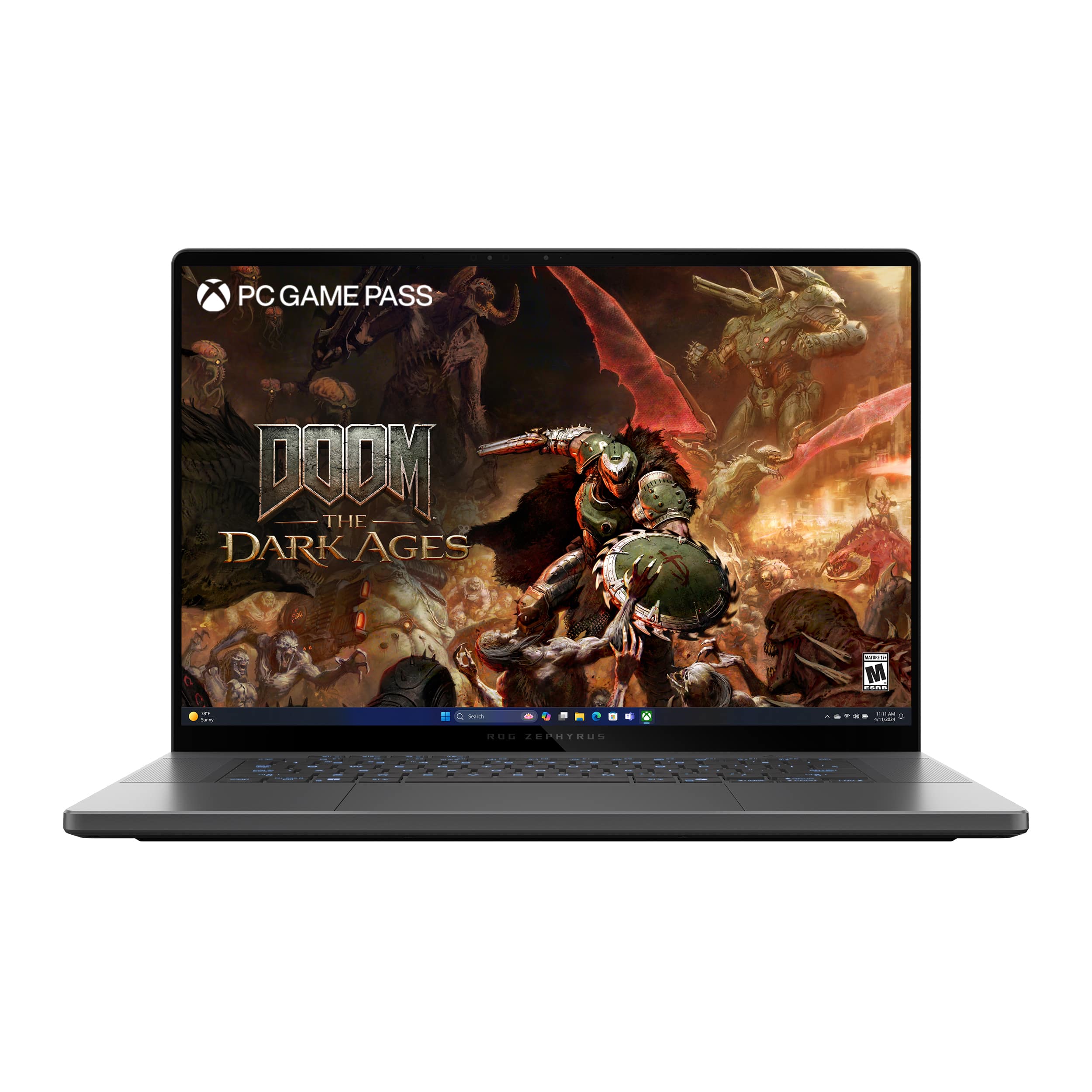
Then there's the G14. At just 3.6 lbs, it's in a different category entirely. Reviewers at Laptop Mag and PCMag specifically called out its portability as a standout trait, noting that it fits in bags where the Blade 16 simply doesn't. The build quality is excellent for the weight class, with a magnesium-aluminum alloy chassis that feels solid without the heft.
Section winner: Asus ROG Zephyrus G14. The Blade 16 looks better on a desk. The G14 wins everywhere else you actually carry a laptop.
Performance
The Razer Blade 16 ships with Intel's latest high-performance CPUs paired with Nvidia's top-tier mobile GPUs, and benchmark results reflect that. Tom's Hardware recorded strong Cinebench R23 multi-core scores and excellent frame rates in GPU-heavy titles at 1440p and above. It's a powerful machine. No argument there.
The Zephyrus G16 also performs well, with AMD CPU options and Nvidia GPU configurations that Notebookcheck found competitive in sustained workloads, thanks to Asus's improved thermal design on the 16-inch chassis.
The G14 runs the AMD Ryzen 9 7940HS with 32GB of RAM, and reviewers found it punches well above its size. PCMag noted that Cinebench scores and gaming frame rates at QHD settings were competitive with machines costing significantly more. The key differentiator is efficiency. AMD's architecture lets the G14 deliver strong performance without the thermal throttling issues that reviewers flagged on the Blade 16 during extended gaming sessions. Laptop Mag specifically noted the Blade 16 running hot under sustained load, with performance dipping after the first 20-30 minutes of intensive use.
The G14's 32GB of RAM also gives it a meaningful edge over base configurations of the competition for multitasking and creative workloads alongside gaming.
Section winner: Asus ROG Zephyrus G14 on efficiency and sustained performance. The Blade 16 wins peak benchmarks, but real-world sustained output favors the G14.
Display
This is where the Razer Blade 16 makes its strongest case. Its display options, particularly the dual-mode panel that switches between 4K 60Hz and 1080p 240Hz, drew significant praise from The Verge and Digital Trends. Color accuracy is excellent, and the screen is simply gorgeous for both gaming and content consumption.
The Zephyrus G16 offers a 16-inch OLED option that Notebookcheck rated highly for contrast and color volume. If you want OLED, the G16 is the ROG pick.
The G14 runs a 14-inch QHD panel at 120Hz. It's sharp, fast, and color-accurate enough for most users. Reviewers noted it covers sRGB well and the 120Hz refresh keeps gaming smooth. But it's a smaller screen, and it doesn't have the wow factor of the Blade 16's display or the G16's OLED option.
Section winner: Razer Blade 16. The display is genuinely class-leading, and it's the one category where the Blade 16 clearly pulls ahead of both Asus machines.
Battery Life
Gaming laptops are notoriously bad at battery life. The Blade 16 is no exception. Reviewers at Tom's Hardware and Laptop Mag recorded around 4-6 hours of real-world use, which is typical for a high-wattage Intel and Nvidia combination. It's a machine that wants to be near an outlet.
The G16 does better, with reviewers finding 7-9 hours in light productivity tasks, benefiting from AMD's efficiency on certain configurations.
The G14 is the clear standout. With up to 12 hours of battery life cited across reviews, it's one of the few gaming laptops that can genuinely last a full workday away from a charger. PCMag and Laptop Mag both highlighted this as a defining strength, noting that the combination of AMD's efficient architecture and the smaller 14-inch display contributes to exceptional longevity for a machine with this level of performance.
Section winner: Asus ROG Zephyrus G14. It's not close. Twelve hours versus four to six is a fundamental lifestyle difference.
Value for Money
The Razer Blade 16 carries a premium price that often exceeds $2,500 and can climb well past $3,000 depending on configuration. You're paying for the brand, the build, and the display. Reviewers acknowledge it's a lot of money, and Tom's Hardware noted that comparable performance is available for less elsewhere.
The Zephyrus G16 sits in the $1,800-$2,200 range depending on configuration, which is reasonable for what it offers, but it doesn't have a compelling advantage over the G14 at similar price points.
The G14 has an MSRP of $2,199, but street prices tell a better story: $1,669 on Amazon, $1,749 at Walmart, and $1,799 at Best Buy. That's a significant discount from MSRP, and it positions the G14 as the best performance-per-dollar machine in this comparison. You're getting a Ryzen 9 processor, 32GB of RAM, a 1TB SSD, and class-leading battery life at a price that undercuts the Blade 16 by hundreds of dollars.
Section winner: Asus ROG Zephyrus G14. The value proposition here is strong, especially at current street prices.
Who Should Buy What?
- Get the Asus ROG Zephyrus G14 if you want the best all-around gaming laptop that you can actually carry everywhere, you care about battery life, and you want strong performance without overpaying. It's the pick for students, remote workers who game, and anyone who values portability alongside power.
- Get the Razer Blade 16 if display quality is your absolute top priority, you work in color-critical creative fields alongside gaming, and budget isn't a constraint. It's a premium product for people who want the best screen money can buy in a gaming chassis.
- Get the Asus ROG Zephyrus G16 if you want a larger screen than the G14 offers, prefer the ROG build quality and software, and want an OLED display option without going all the way to Razer's price tier. It's a solid middle ground, though it doesn't decisively beat either competitor.
Final Verdict
The Razer Blade 16 has the best display and the most premium feel. Nobody disputes that. But a laptop is more than its screen, and when you look at the full picture, the Asus ROG Zephyrus G14 wins this comparison decisively.
It's the lightest machine at 3.6 lbs. It lasts up to 12 hours on a charge, which neither competitor comes close to matching. Its AMD Ryzen 9 and 32GB RAM configuration delivers sustained performance that reviewers found competitive with more expensive machines. And at street prices starting around $1,669, it undercuts the Blade 16 by a significant margin while delivering a better overall ownership experience for most users.
Professional reviewers across PCMag, Laptop Mag, and Notebookcheck have consistently recognized the G14 as one of the best gaming laptops available, and an aggregate score of 9.3/10 reflects that consensus. The Blade 16 is a great machine for a specific buyer. The G14 is the right machine for most buyers. That's the difference.
Where to Buy
More Laptops Comparisons
MacBook Pro 16 vs Razer Blade 16 vs ROG Zephyrus G14: Performance Showdown
Apple MacBook Pro 16-inch M4 Pro vs Razer Blade 16 vs Asus ROG Zephyrus G14
Dell XPS 13 vs Lenovo Yoga Slim 7i vs ThinkPad X9 15: Ultrabook Battle
Dell XPS 13 vs Lenovo Yoga Slim 7i Ultra Aura Edition vs Lenovo ThinkPad X9 15 Aura Edition
MacBook Air M4 vs Dell XPS 13 vs Surface Laptop 7: Best Ultrabook
Apple MacBook Air 13-inch M4 vs Dell XPS 13 vs Microsoft Surface Laptop 7
Affiliate Disclosure: We may earn a commission when you buy through links on our site. This does not influence our editorial recommendations. Learn more about how we make money