
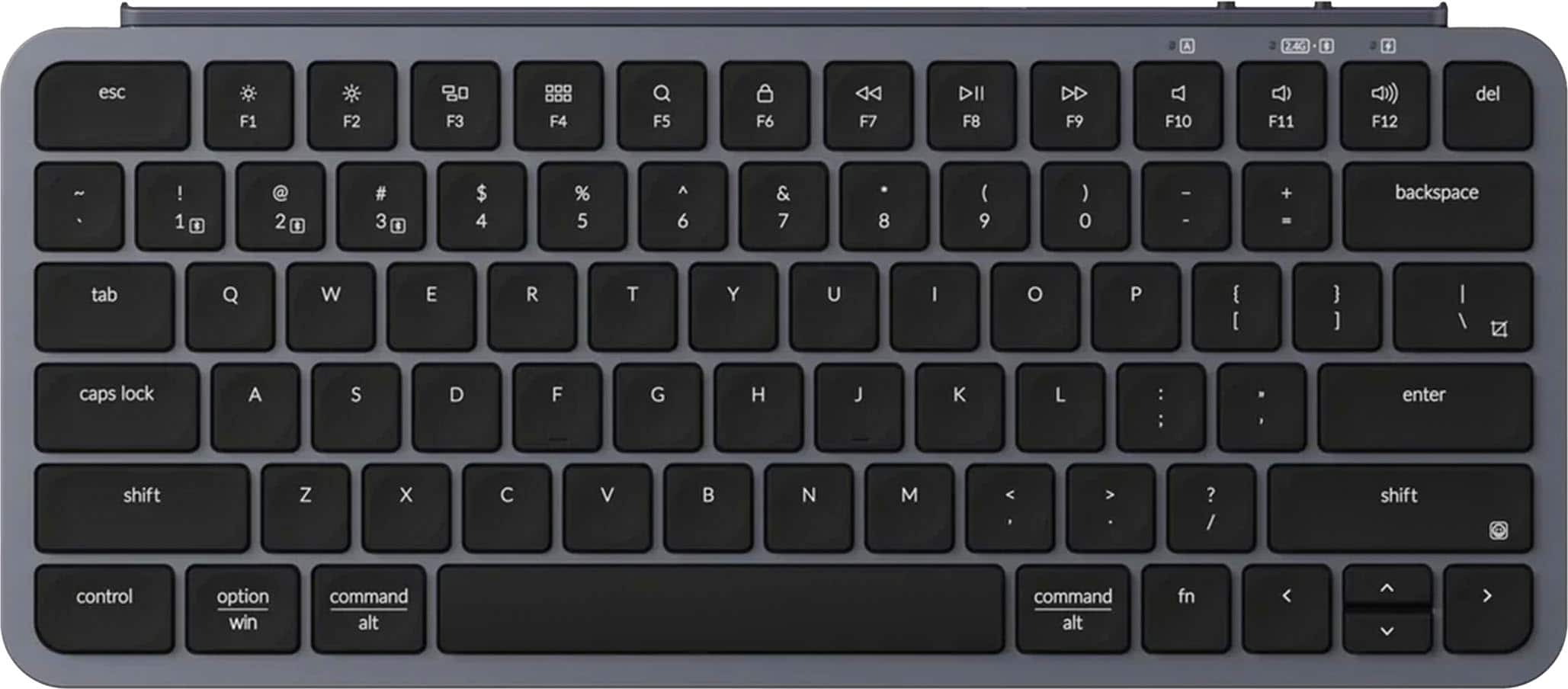
Keychron
K8 Pro
Affiliate Disclosure: We may earn a commission when you buy through links on our site. This does not influence our editorial recommendations. Learn more about how we make money
Clara’s Verdict
Very GoodA super affordable, customizable wireless keyboard that's perfect for everyday typing, but the stock keycaps need replacing.
Best for: Budget-conscious people building their first mechanical keyboard, Remote workers who want wireless convenience, Anyone who loves customizing and tweaking their setup
Skip if: People who want a keyboard that's perfect out of the box, Gamers who need rock-solid Bluetooth performance
Ethan’s Verdict
GoodHot-swappable and affordable, but Bluetooth issues and terrible keycaps make this a frustrating budget compromise.
Best for: Budget keyboard enthusiasts willing to mod, Users who'll replace keycaps immediately
Skip if: Anyone who values Bluetooth reliability, Users who want quality out of the box
Clara’s Pros & Cons
- +Incredible battery life, 100 hours on lowest brightness setting
- +Hot-swappable switches and VIA customization are amazing
- +Wireless and wired connectivity for total flexibility
- +Super affordable compared to other mechanical keyboards
- −Stock keycaps are terrible and need immediate replacement
- −Bluetooth connectivity issues and occasional lag reported
- −Tray-mount design feels stiff and clacky while typing
- −Lacks per-key RGB control in software
Ethan’s Pros & Cons
- +Battery life reaches 100 hours at minimum brightness setting.
- +Hot-swappable switches enable customization without soldering.
- +VIA software makes key remapping and macros straightforward.
- +Priced aggressively at $72-90 for a mechanical option.
- −Keycaps are slick, feel cheap, and have printing defects.
- −Bluetooth connectivity issues create real-world lag and drops.
- −Tray-mount design creates stiff, clacky typing experience.
- −Per-key RGB control missing despite having RGB lighting.
Score Breakdown
Performance & Response6.510% wt
Comfort & Ergonomics7.525% wt
Build Quality6.015% wt
Features & Software8.010% wt
Customization8.510% wt
Wireless & Battery7.020% wt
Value9.010% wt
Score Breakdown
Performance & Response5.525% wt
Comfort & Ergonomics7.015% wt
Build Quality5.020% wt
Features & Software7.515% wt
Customization8.010% wt
Wireless & Battery6.510% wt
Value8.55% wt
Clara’s Full Review
The Good News: You're Getting a Mechanical Keyboard for Under $90
Let's start with the win here. At $72-90, this keyboard is genuinely affordable. You're getting wireless Bluetooth connectivity, hot-swappable switches, and access to VIA software for customization. That's a lot of keyboard for the money, and reviewers agree it's a great entry point if you're curious about mechanical keyboards but don't want to spend $200+.
The battery life is legitimately impressive. Reviewers found it lasts 100 hours on the lowest brightness setting, or about 30 hours if you want the RGB lights cranked up. For a wireless keyboard, that's excellent and means you won't be charging constantly.
What makes this keyboard special is the customization potential. VIA software makes remapping keys incredibly easy, even for beginners. The hot-swappable design means you can swap out switches without any soldering, so if you want to experiment with different switch types, you can just pop them in and out. That's genuinely fun and keeps the keyboard interesting long-term.
The Problem: Those Keycaps Are Rough
Here's where things get honest. Multiple reviewers said the stock keycaps are slick, have printing issues, and feel cheap. One reviewer was blunt: they should be thrown in the garbage. This is frustrating because it's the first thing your fingers touch every time you type.
The good news? You can replace them. Keycaps are relatively inexpensive and easy to swap. So budget another $30-50 if you want nice ones, which brings your total to around $120-140 for a really solid wireless mechanical keyboard.
Bluetooth and Typing Feel
The typing experience is adequate but not amazing. The tray-mount design makes it feel stiff and clacky, which some people love and others find fatiguing. A few reviewers experienced Bluetooth lag during gaming, so if you're planning to play competitive games wirelessly, this might not be your best option. For everyday work typing and browsing, it's totally fine.
The keyboard itself is nicely weighted at 2.2 pounds, which keeps it stable on your desk. You can adjust the typing angle to 0, 6, or 9 degrees, so you can find what's comfortable for your wrists.
Who Should Buy This
If you're curious about mechanical keyboards but don't want to spend a fortune, this is a smart buy. If you like customizing things and don't mind swapping out keycaps, you'll have fun with it. For remote workers who want wireless convenience and don't need gaming performance, it's a solid choice. Just go in knowing you'll probably want to replace those keycaps pretty quickly.
Ethan’s Full Review
A Budget Keyboard That Requires a Budget to Fix
Keychron's K8 Pro occupies an awkward middle ground. It's cheap enough to be tempting, but flawed enough that you'll need to spend more money to make it actually good. That's not a value proposition, that's a trap.
Start with the keycaps. Tom's Hardware's reviewer didn't mince words: they should be "immediately thrown in the garbage." Slick, poorly printed, and feeling nothing like a $90 keyboard should feel. This isn't a minor nitpick. The keycaps are what your fingers touch for eight hours a day. Keychron shipped this with substandard caps, which means you're either living with bad keycaps or dropping another $40-60 to fix the problem.
Then there's the Bluetooth situation. Multiple reviewers documented connectivity failures, including a malfunctioning backspace key and general lag issues. For a wireless keyboard, this is a fundamental failure. You can't customize your way around bad Bluetooth. You can't mod your way out of unreliable wireless performance. This is a hardware or firmware issue that should have been caught before release.
The tray-mount design compounds these problems. It creates a stiff, clacky typing experience that reviewers consistently criticized. Gasket-mount or top-mount designs are the industry standard now for good reason, and Keychron chose the inferior option here. Again, this feels like cost-cutting at the wrong place.
What does work? The battery life is legitimate. 100 hours at lowest brightness is genuinely strong. Hot-swappability means you can experiment with different Gateron switches without soldering. VIA software is intuitive for remapping and macros. These are real positives.
But here's the business reality: Keychron is asking you to pay for a half-finished product. The K8 Pro is a keyboard that becomes good only after you've replaced the keycaps, hopefully replaced the switches, and hoped Bluetooth stabilizes. At that point, you've spent $150-170 total, and you're in the territory where better pre-built options exist.
For budget-conscious enthusiasts willing to mod, the K8 Pro makes sense. For anyone else, the Keychron C1 is recommended as a more coherent package. This board is a step backward from Keychron's previous models, and it shows.
Specifications
| type | Mechanical |
| backlight | RGB |
| key switch | Gateron |
| battery life | 72 hours |
| connectivity | Bluetooth/Wired |
Overall Rating
Related Reviews
Keychron V3 Max vs Epomaker AK820 Pro vs Redragon K552 (2025)
Which mechanical keyboard wins? We compare Keychron V3 Max, Epomaker AK820 Pro, and Redragon K552 across typing feel, features, and value to find the best.
Keychron Q1 Pro vs ASUS ROG Strix Scope II 96 vs SteelSeries Apex Pro TKL
Which wireless mechanical keyboard wins? We compare Keychron Q1 Pro, ASUS ROG Strix Scope II 96, and SteelSeries Apex Pro TKL on build, performance, and value.
Wooting 60HE+ vs Razer BlackWidow V4 Pro vs Corsair K100 RGB (2024)
Which gaming keyboard wins? We compare Wooting's analog switches, Razer's feature-packed V4 Pro, and Corsair's flagship K100 to find the best.
Alternatives Worth Considering
Review History
Initial review from real source data
Initial review from real source data
Editorial Independence
Our reviews are based on research from trusted expert sources. We may earn commissions from affiliate links, but this never influences our ratings or recommendations. How we score · Editorial policy · Report an error
Related Keyboards



Lowest Price Vendor Auto-Selected
Lowest Price Vendor Auto-Selected